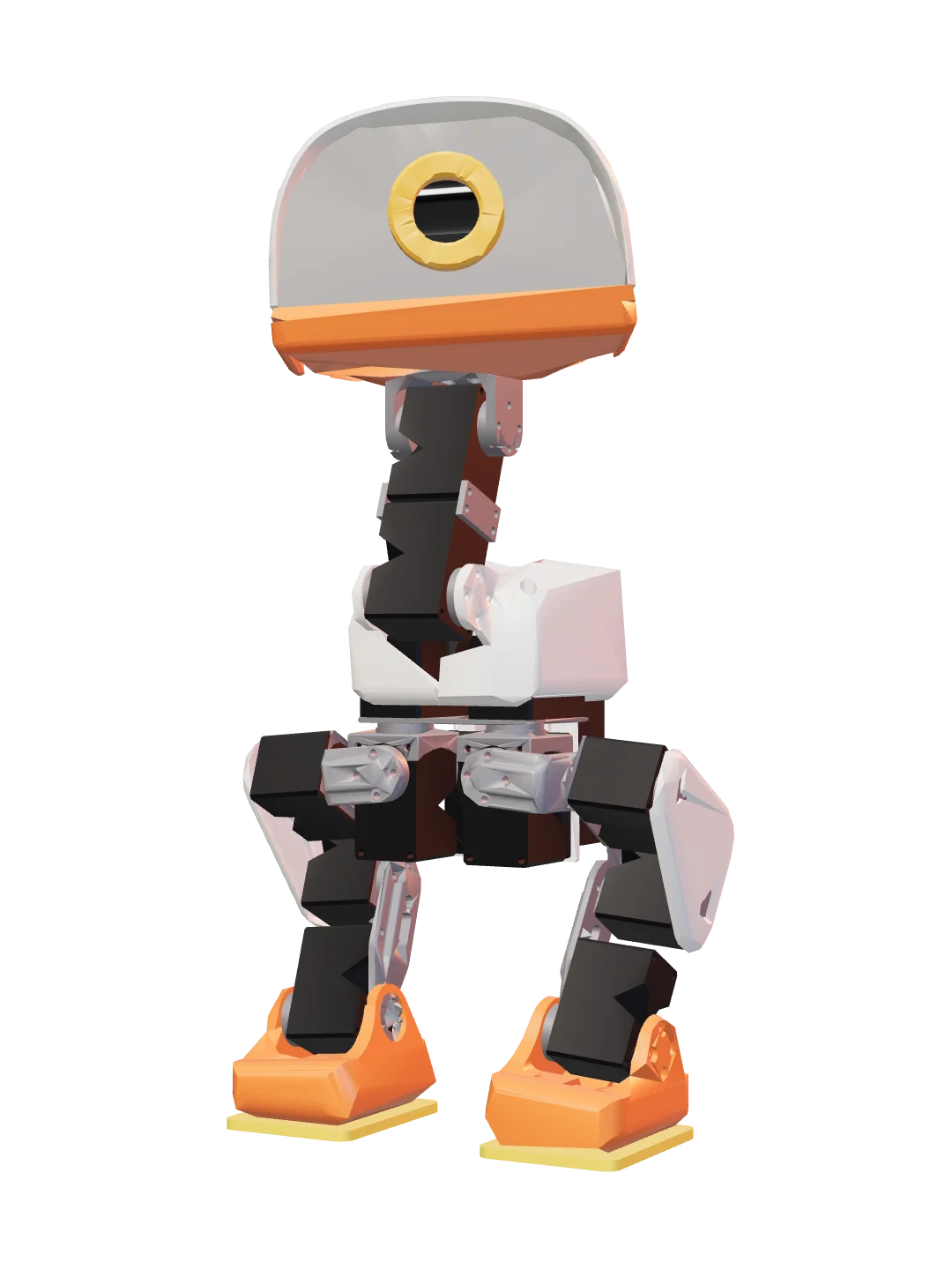
colourway主色 #FF7A2F
DuckDuck
Anas mechanica
A biped that learned to walk in simulation.在仿真里学会走路的双足机器人。
- joints关节
- 14
- grams克
- 725
- printed parts打印件
- 32
- policy Hz策略 Hz
- 50
A field guide to small open machines · Vol. I小型开放机器图鉴 · 第一卷
LibreZoo is a community making small robot creatures that anyone can print, assemble, train and run. Every creature in the collection ships open CAD, an open policy and a simulator that runs in a browser tab. LibreZoo 狸波 是一个制作小型机器人生物的社区:任何人都可以打印、组装、训练并运行它们。图鉴里的每一个生物都附带开放的 CAD、开放的策略,以及一个能在浏览器标签页里运行的模拟器。
IThe collection图鉴
A plate is a portrait, a Latin name, honest numbers and a way in: meet the creature, run it in your browser, recolour it for your printer. An empty enclosure is an open invitation, nothing more. 一张图版包含肖像、拉丁学名、真实的数字和入口:认识这个生物,在浏览器里运行它,给它配上适合你打印机的颜色。空置的围栏只是一份开放的邀请,不是承诺。
colourway主色 #FF7A2F
Anas mechanica
A biped that learned to walk in simulation.在仿真里学会走路的双足机器人。
Open CAD, an open policy, a browser simulator, printable at home. Meet the standard and it gets a plate here.开放的 CAD,开放的策略,浏览器里的模拟器,在家就能打印。达到这套标准,它就有自己的图版。
Open CAD, an open policy, a browser simulator, printable at home. Meet the standard and it gets a plate here.开放的 CAD,开放的策略,浏览器里的模拟器,在家就能打印。达到这套标准,它就有自己的图版。
IITools工具
Tool 01 · recolour and print工具 01 · 配色与打印
Recolour any creature in your browser, then export numbered 3MF files grouped by Bambu filament, ready to slice. Your designs are saved on your own device. 在浏览器里给任何生物配色,然后导出按 Bambu 耗材分组、带编号的 3MF 文件,直接切片打印。你的设计保存在你自己的设备上。
Tool 02 · run in a tab工具 02 · 在标签页里运行
Run a creature's real trained policy in a browser tab. MuJoCo compiled to WebAssembly steps the physics, ONNX runs the policy: no install, no server. 在浏览器标签页里运行生物真实训练出的策略。WebAssembly 版 MuJoCo 负责物理,ONNX 负责策略:无需安装,无需服务器。
IIIThe standard标准
Four beats. A creature that clears all four earns a plate in the collection, whoever made it. 四个节拍。四项全部达标的生物,不论出自谁手,都能在图鉴里得到一张图版。
01
Open CAD.开放的 CAD。
Every part prints on a hobby printer. The source CAD and the printable files are public: no machine shop, no special material.每个零件都能用桌面打印机打印。源 CAD 和可打印文件全部公开:不需要机加工,不需要特殊材料。
02
Open policy.开放的策略。
The training environment and the trained policy are public, so anyone can reproduce the behaviour in simulation, or change it.训练环境和训练好的策略都是公开的,任何人都可以在仿真中复现这些行为,或者修改它。
03
Runs in a browser.在浏览器里运行。
It ships a model for the shared simulator, so its real policy runs in a tab: no install, no server.它带有可用于共享模拟器的模型,真实的策略就能在浏览器标签页里运行:无需安装,无需服务器。
04
Public and credited.公开,并标明来源。
Code and designs live in public repositories under an open licence. If you improved on someone else's robot, the plate says so.代码与设计放在公开仓库,采用开放许可。如果你是在别人的机器人基础上改进的,图版上会写明。
IVThe commons公共工具链
What every creature stands on. It grew out of the first one, it is public, and it does not belong to any single animal. Read it, fork it, send a patch. 每个生物都站在它们的肩膀上。它们诞生于第一个生物,全部公开,也不属于任何一个动物。阅读、Fork、提交补丁。
Fix a bug, tune a policy, print a new colourway, or build the animal that fills the next enclosure. 修一个 bug,调一个策略,打印一套新配色,或者做出下一个住进围栏的生物。